Hour19 Matrix Primer
-
Fluffychat is a multi-platform (including browser-based)
matrix client. All matrix clients should be compatible with
all matrix servers (it's a standard, not a product)... The
Fluffychat web UI can be accessed at
https://fluffychat.im/web
-
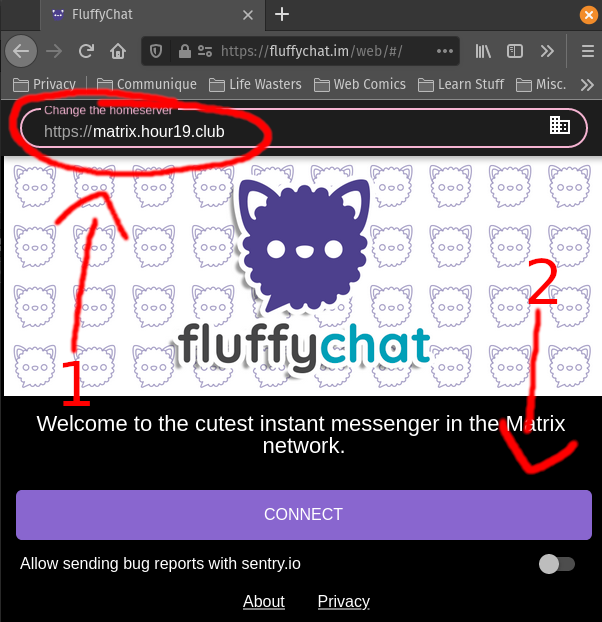
You'll be greeted with a home screen with a big "CONNECT" button. Avoid
the temptation to click on this. First you need to change the homeserver to
"https://matrix.hour19.club", THEN you can click "CONNECT"... (side note: you can
actually connect to any homeserver your heart desires, even the default, and
by default all your chats will still be encrypted. In an ideal world you'd pick
one based on its uptime and security. The default [https://matrix.org] is fine,
but defeats the purpose of matrix, in my opinion.)
-
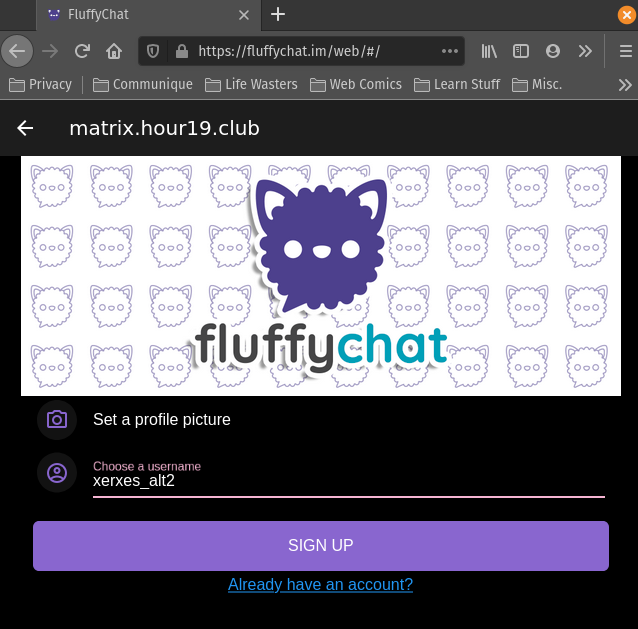
Choose a username. The username you choose can be anything, you only have to
worry about conflicts with other people on THIS server (e.g. my username is "xerxes" even
though that would be taken on most other sites).
-
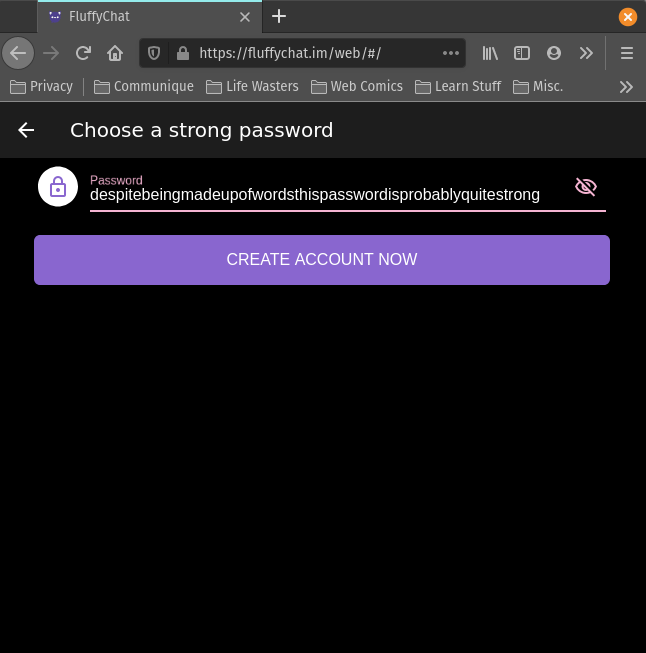
Choose a password. Ideally a strong one, but since the only thing a hacker would
gain access to is your chat log (obviously no payment methods as this is a Free
and Open Source service), it doesn't have to be TOO strong.
(just kidding it should be strong)
-
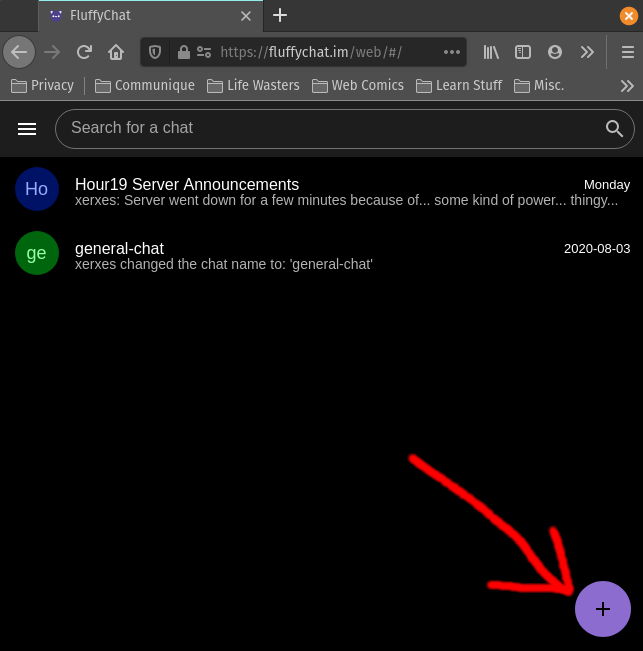
That's it, you're account is created and you may be automatically signed-in.
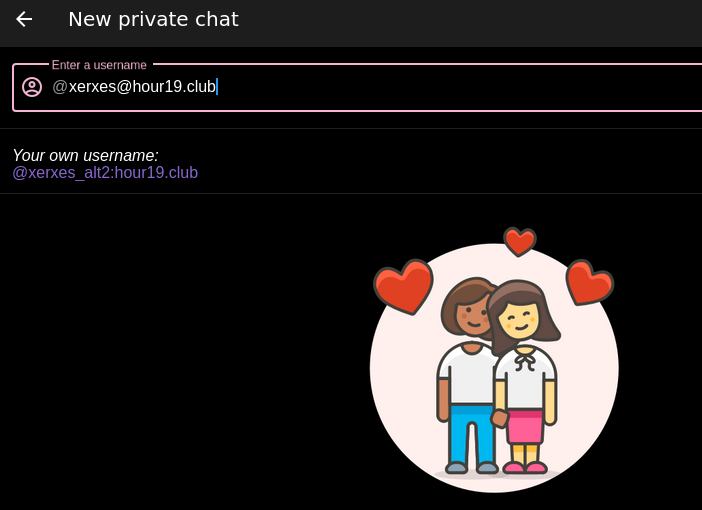
To start a chat, click on the big-ol "+" in the bottom right, and enter the
username you're interested in. Mine is "@xerxes:hour19.club" (matrix usernames
are akin to email addresses: of the form "@username:homeserver").
-
Remember that when you sign in on other devices you'll need to sign into
"https://matrix.hour19.club", the options will look very similar to how they
looked when creating an account. You can switch clients freely without creating
new accounts or losing chat history.