Hour19 Matrix Primer
(Element X)
-
You'll need a client.
Element
has mobile and desktop apps and that's what I'll focus on for this guide.
For other clients see this page:
https://matrix.org/clients/
-
Open your client (Element X on mobile).
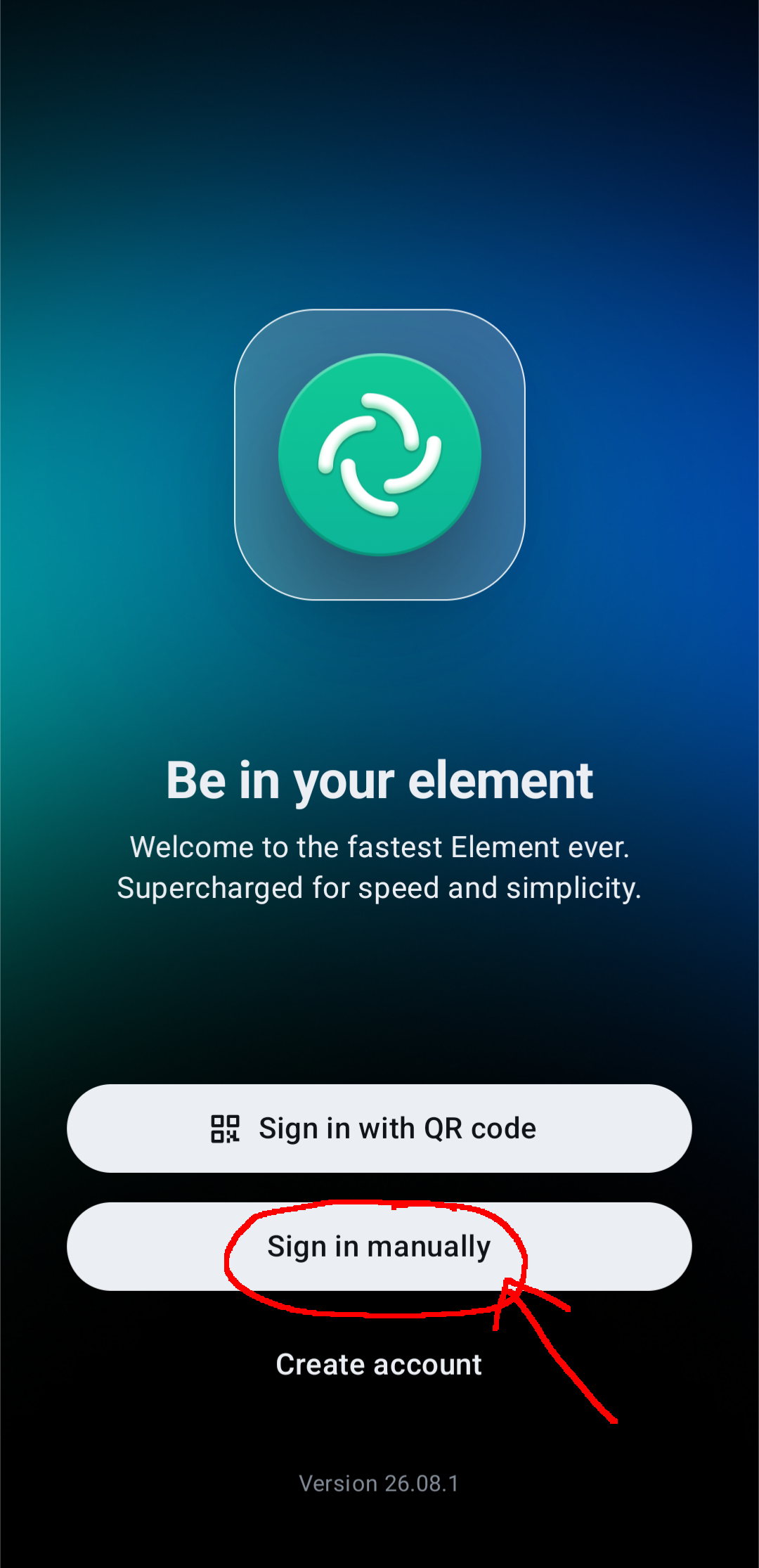
There will be a page to sign in / create account.
You'll be signing in manually.
-
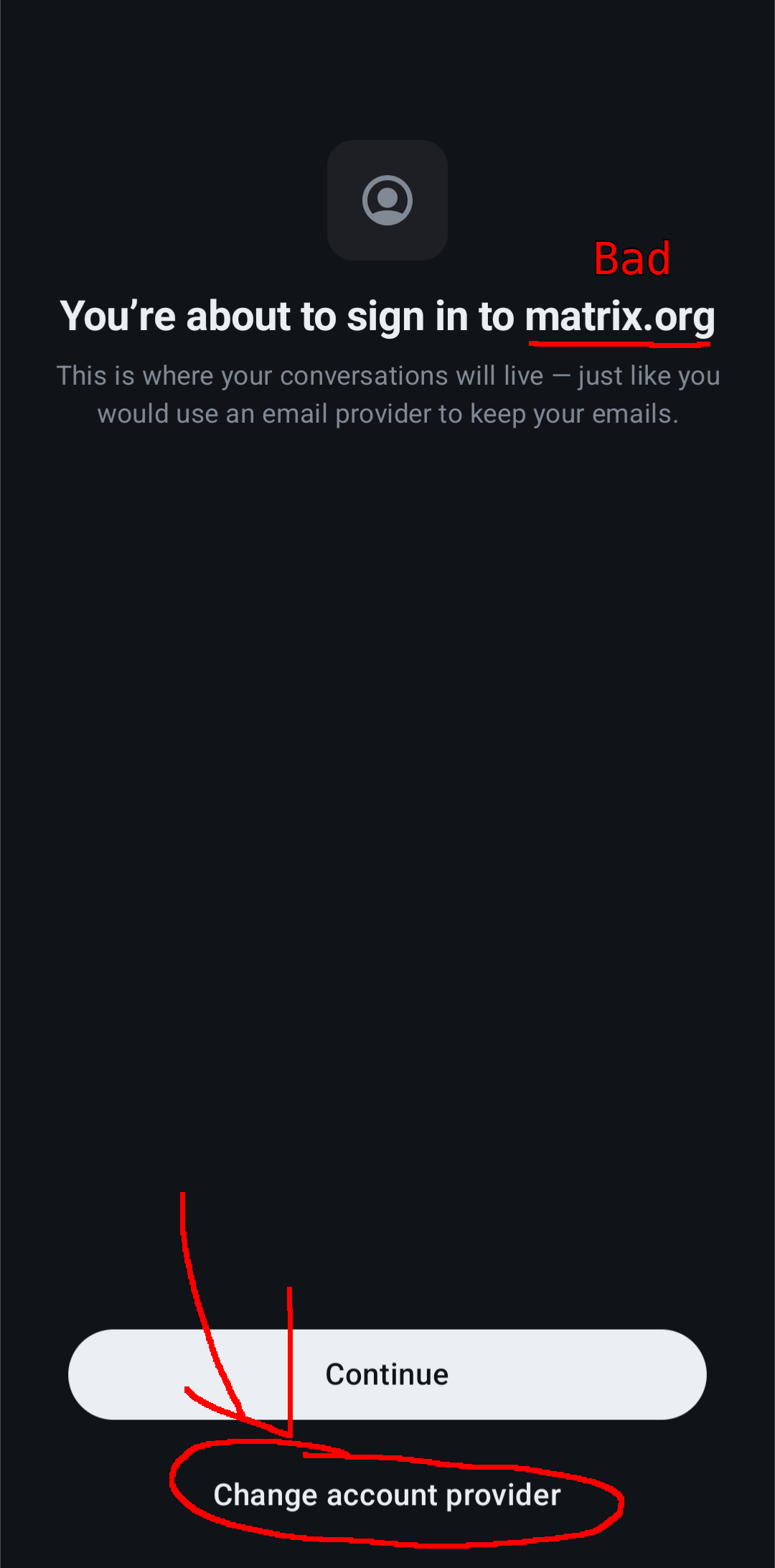
You DO NOT want to sign into "matrix.org" or anything similar. Find the option that
says something like "Change account provider", which may be the "advanced" option.
If the sign in page contains a box for "homeserver URL" or similar, skip this step.
-
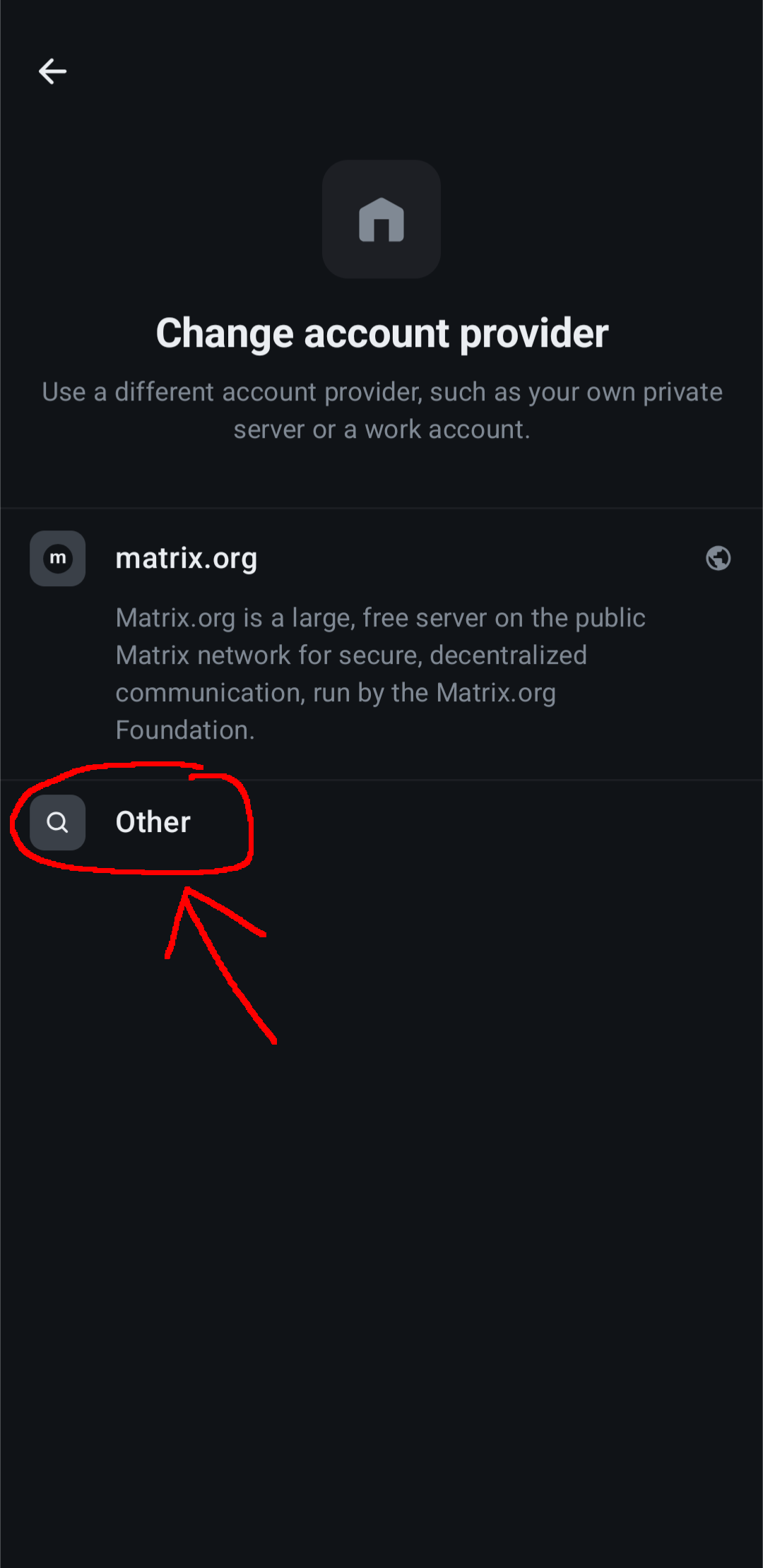
Select "Other", because we'll be signing into this server.
-
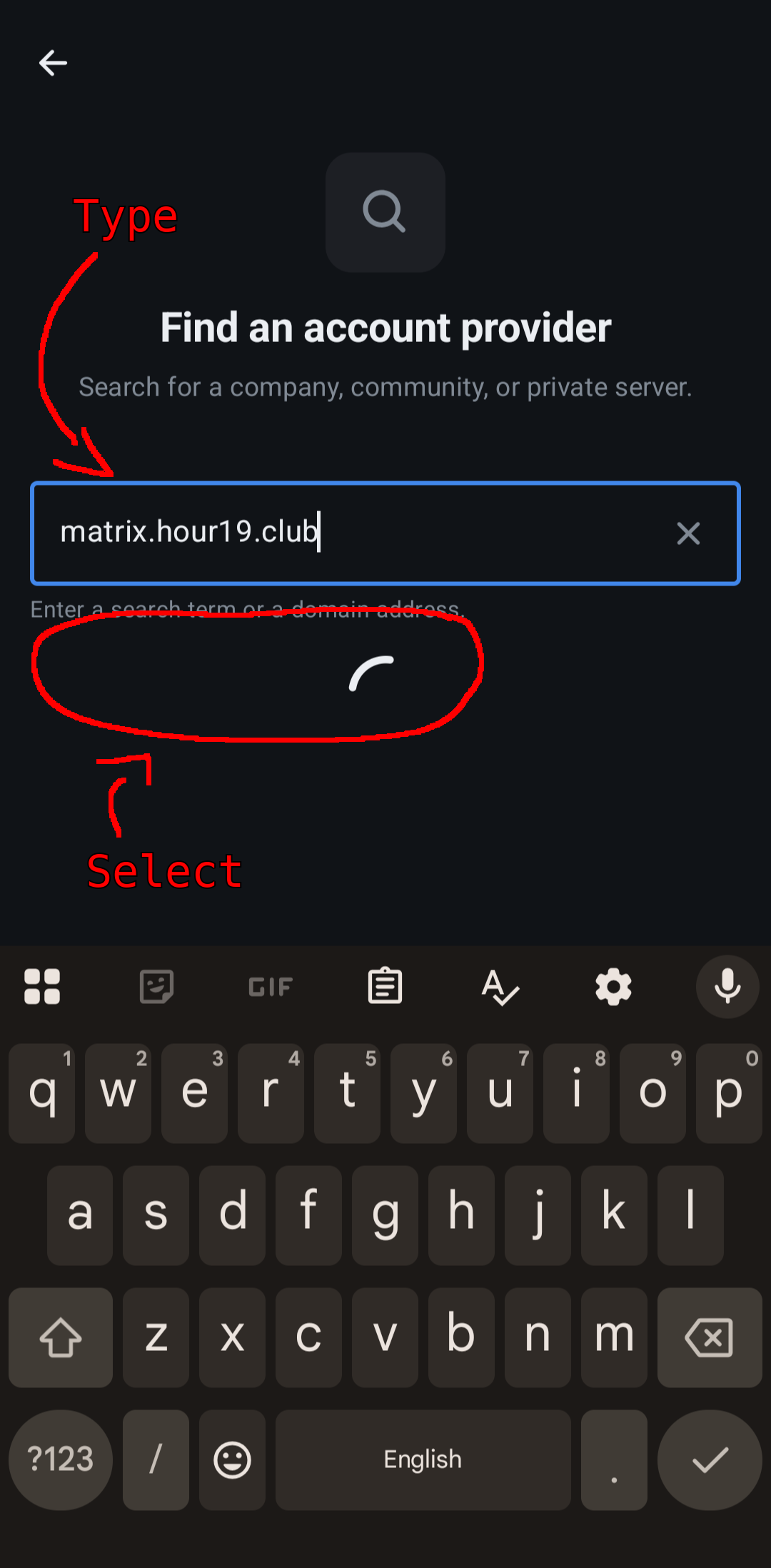
Enter "matrix.hour19.club" as the homeserver URL (that's the address of this page!).
Then select the item that pops up under the text box that says "matrix.hour19.club"
-
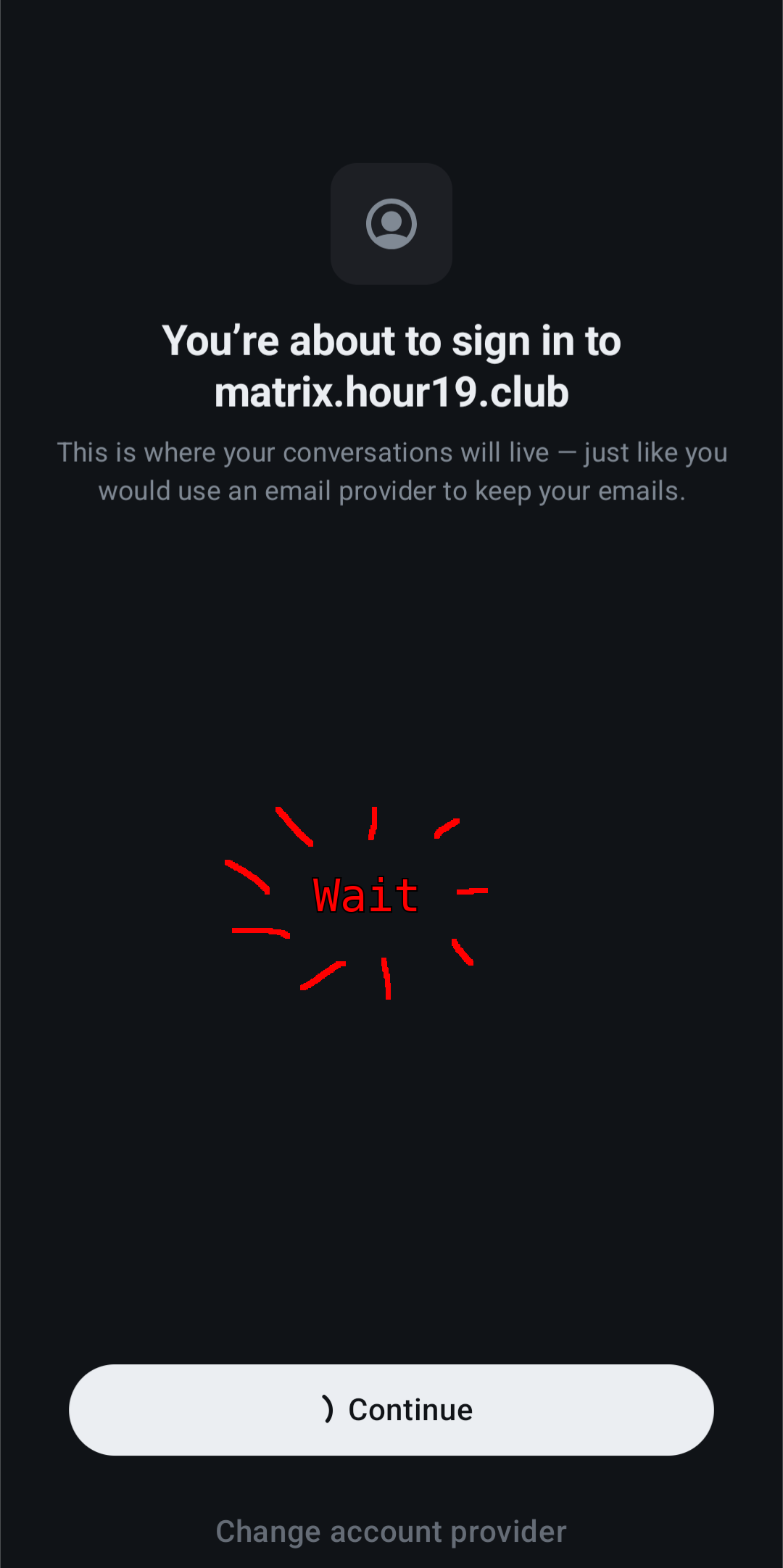
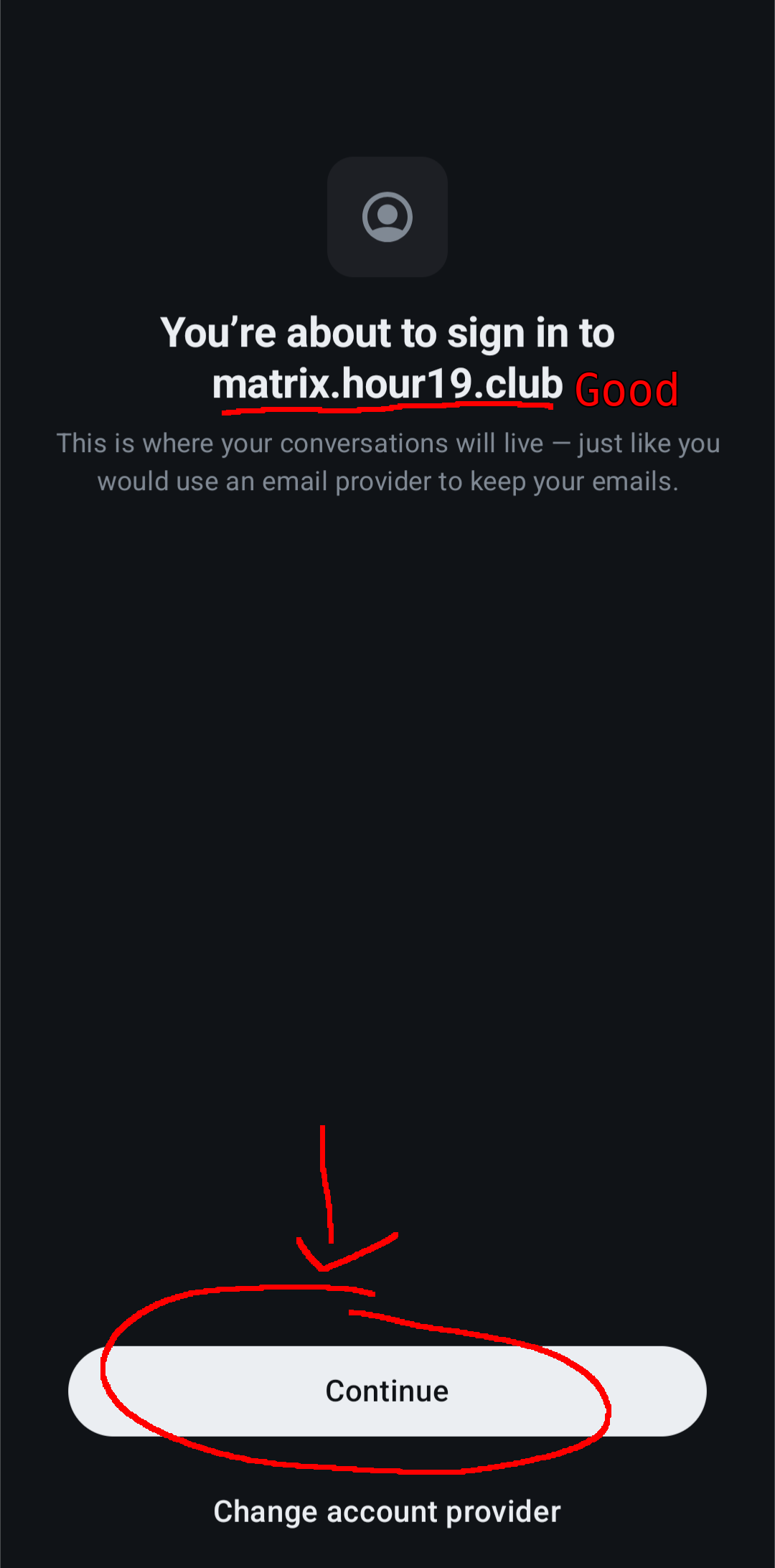
Hit continue. You want to sign into matrix.hour19.club.
-
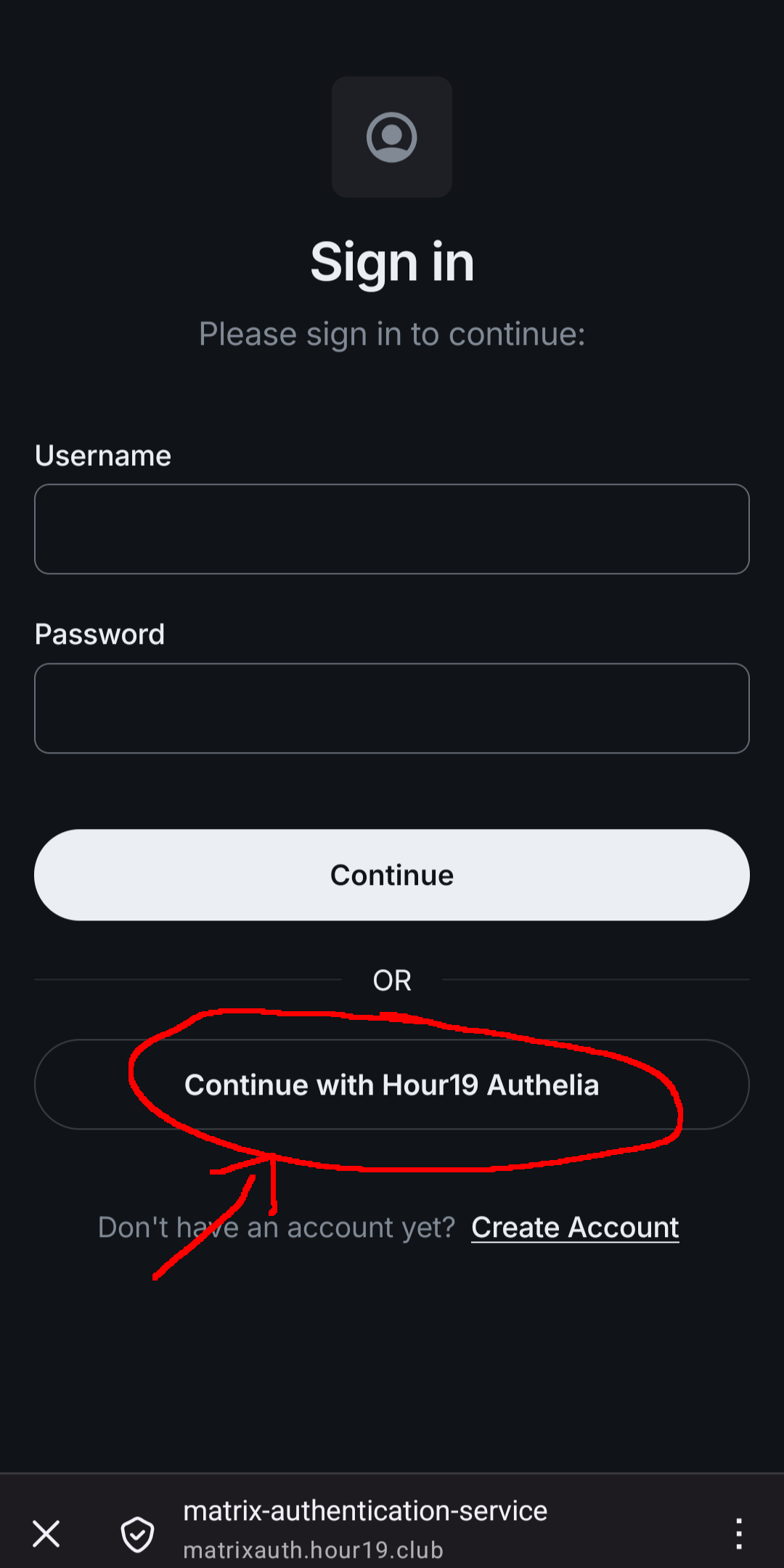
Now you want to "Continue with Hour19 Authelia". Authelia is how you'll always sign in
using your hour19.club account.
-
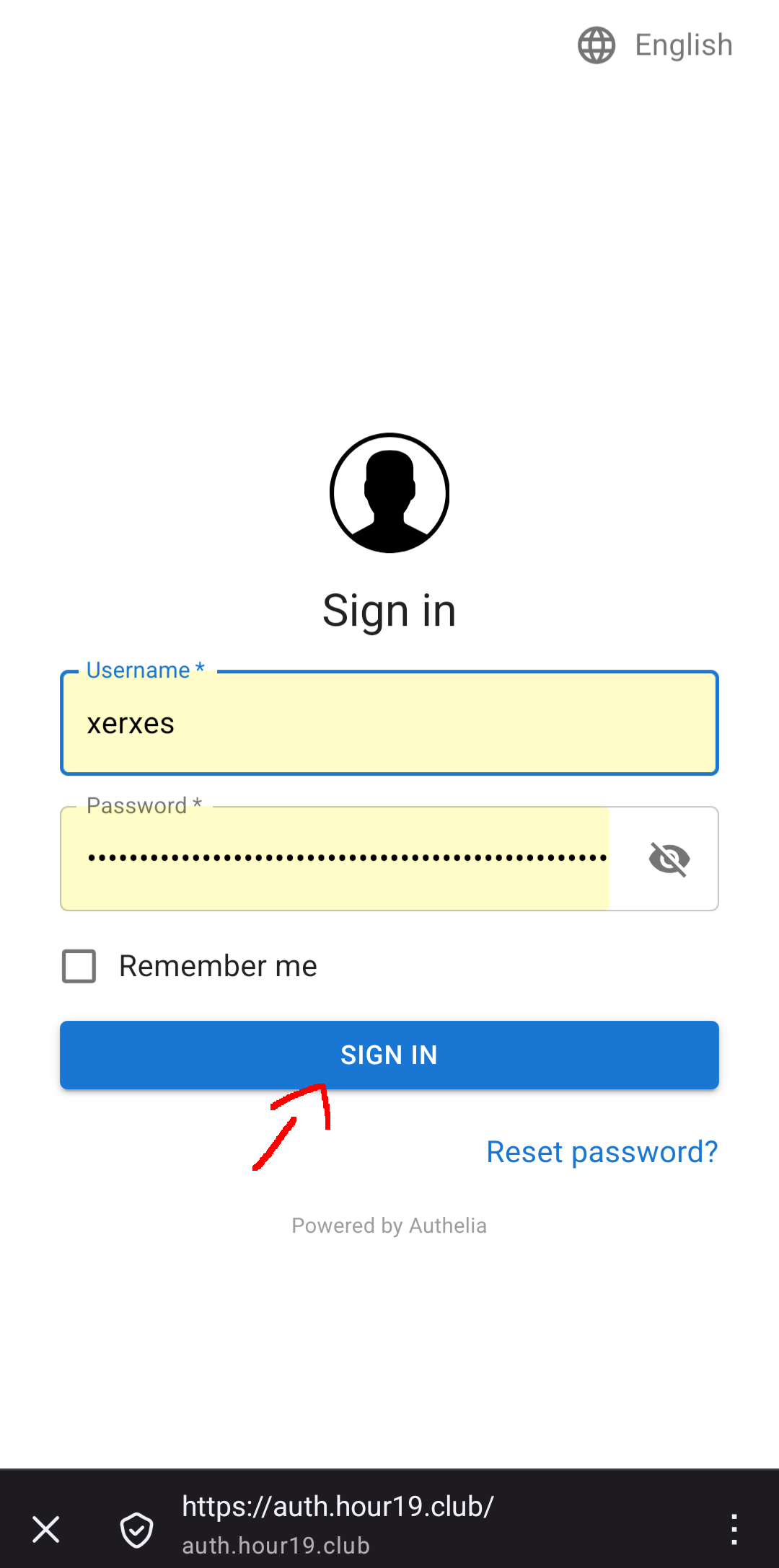
Enter your username and password and sign in.
I wouldn't reset your password during the login process, it could mess it up.
You might skip this page if you're already logged in for some reason.
-
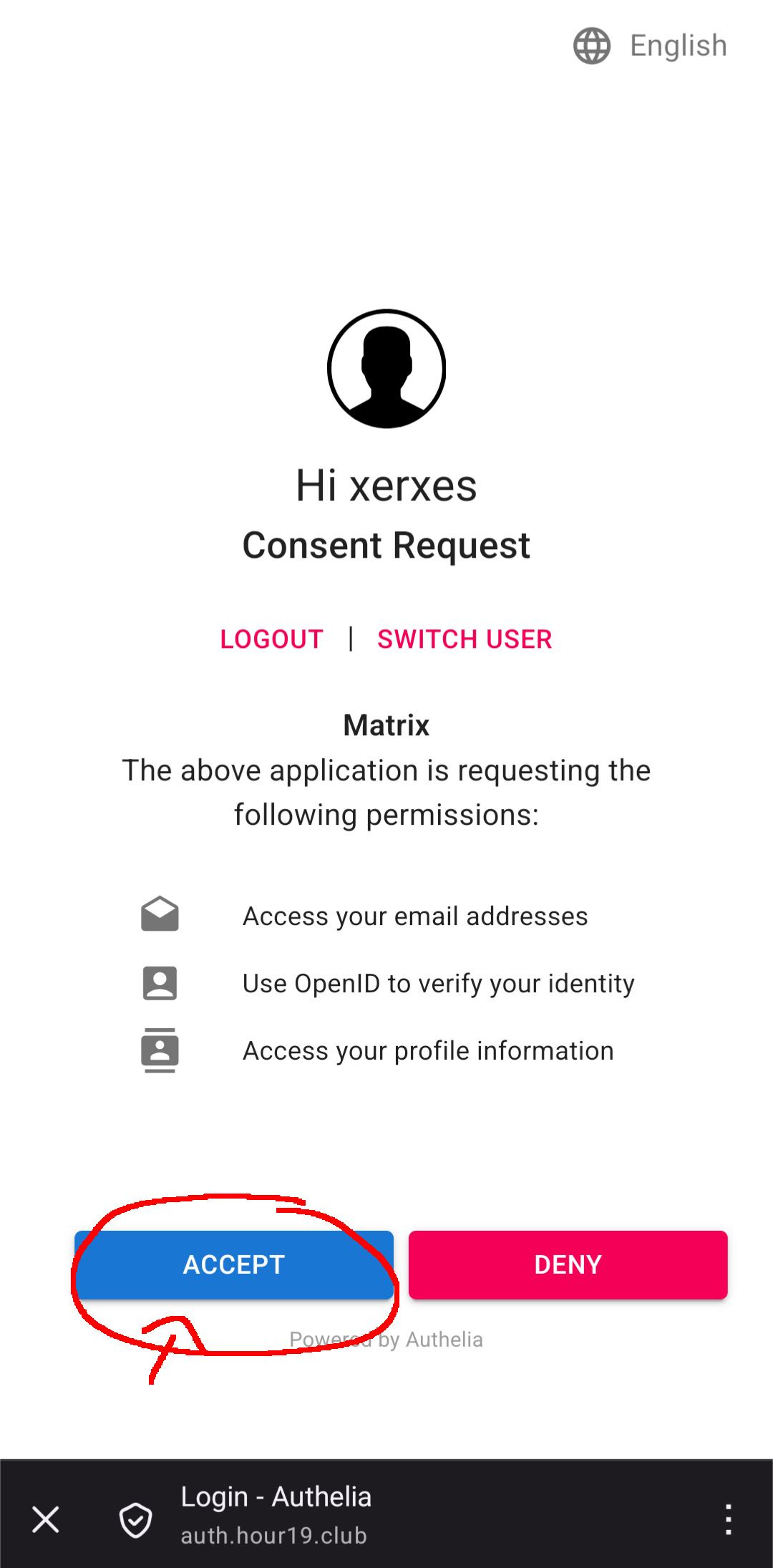
Accept the consent request log in to matrix using your hour19.club credentials.
-
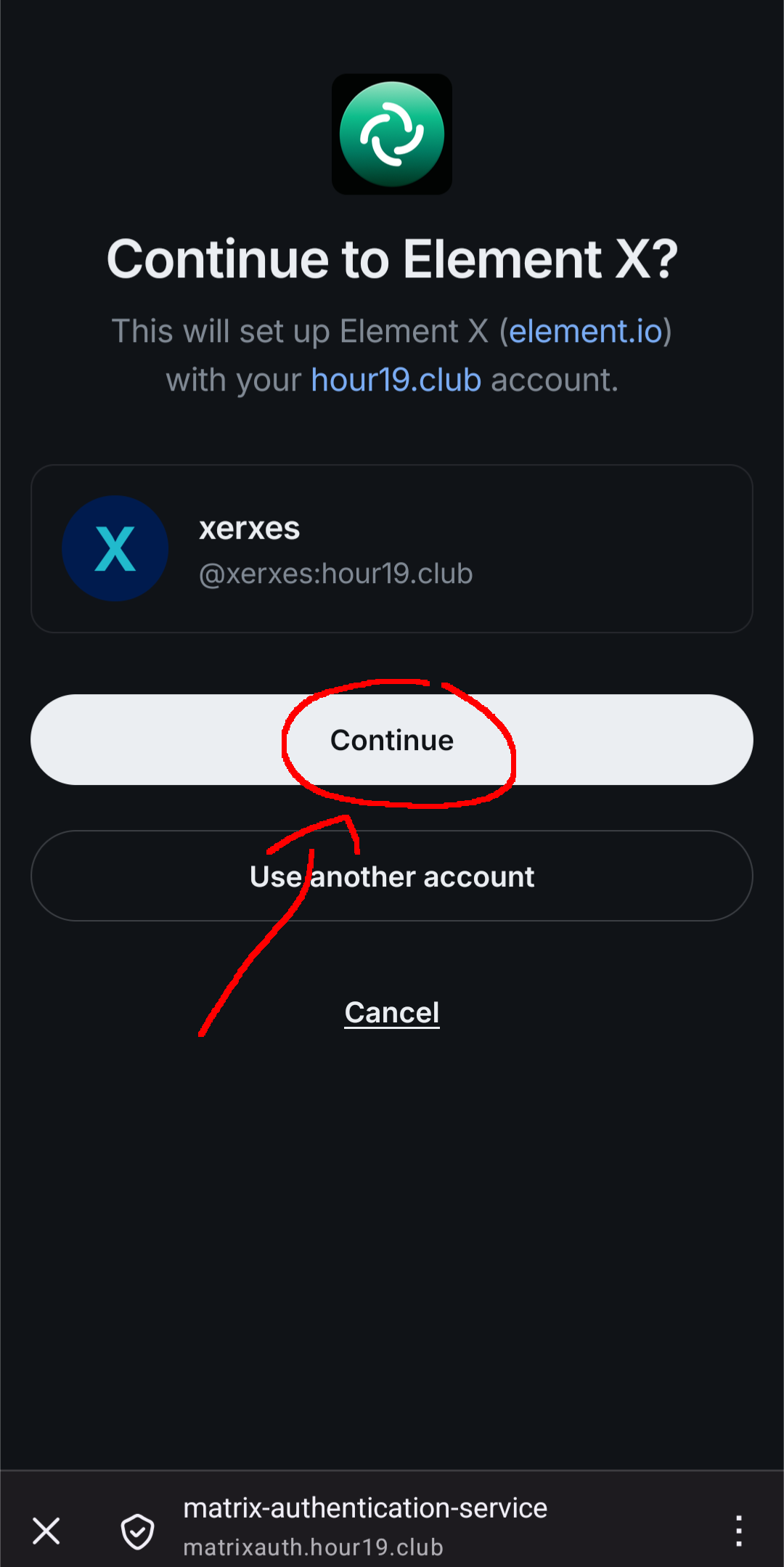
You'll be sent back to the element X app, and it should display your existing matrix
account. If you don't already have one, it should show a new one with your username
as the localpart (e.g. "@username:hour19.club"). Hit Continue.
-
You'll be kicked back to the "You're about to sign in..." page, but just wait
for it to load, don't click anything. After a bit you'll be signed in and ready to go.